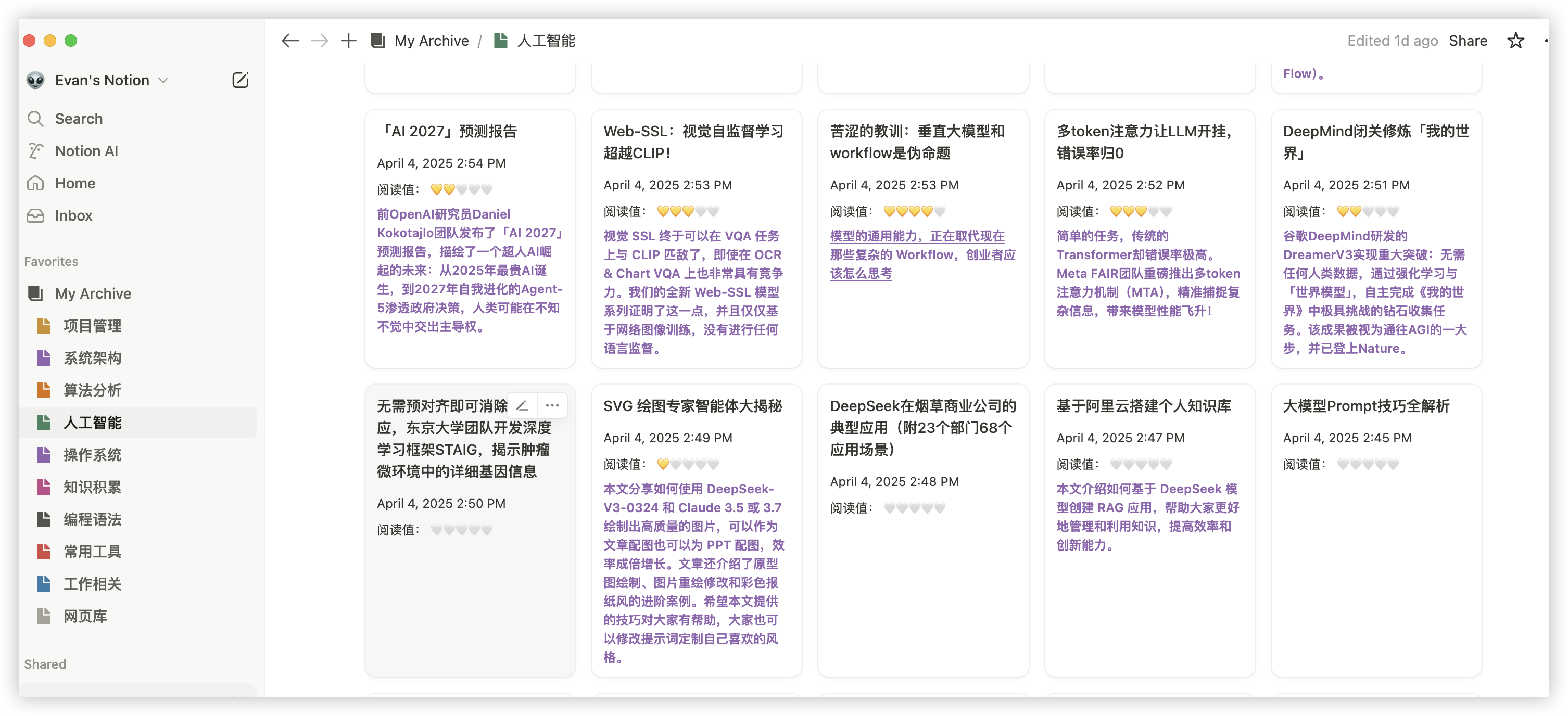
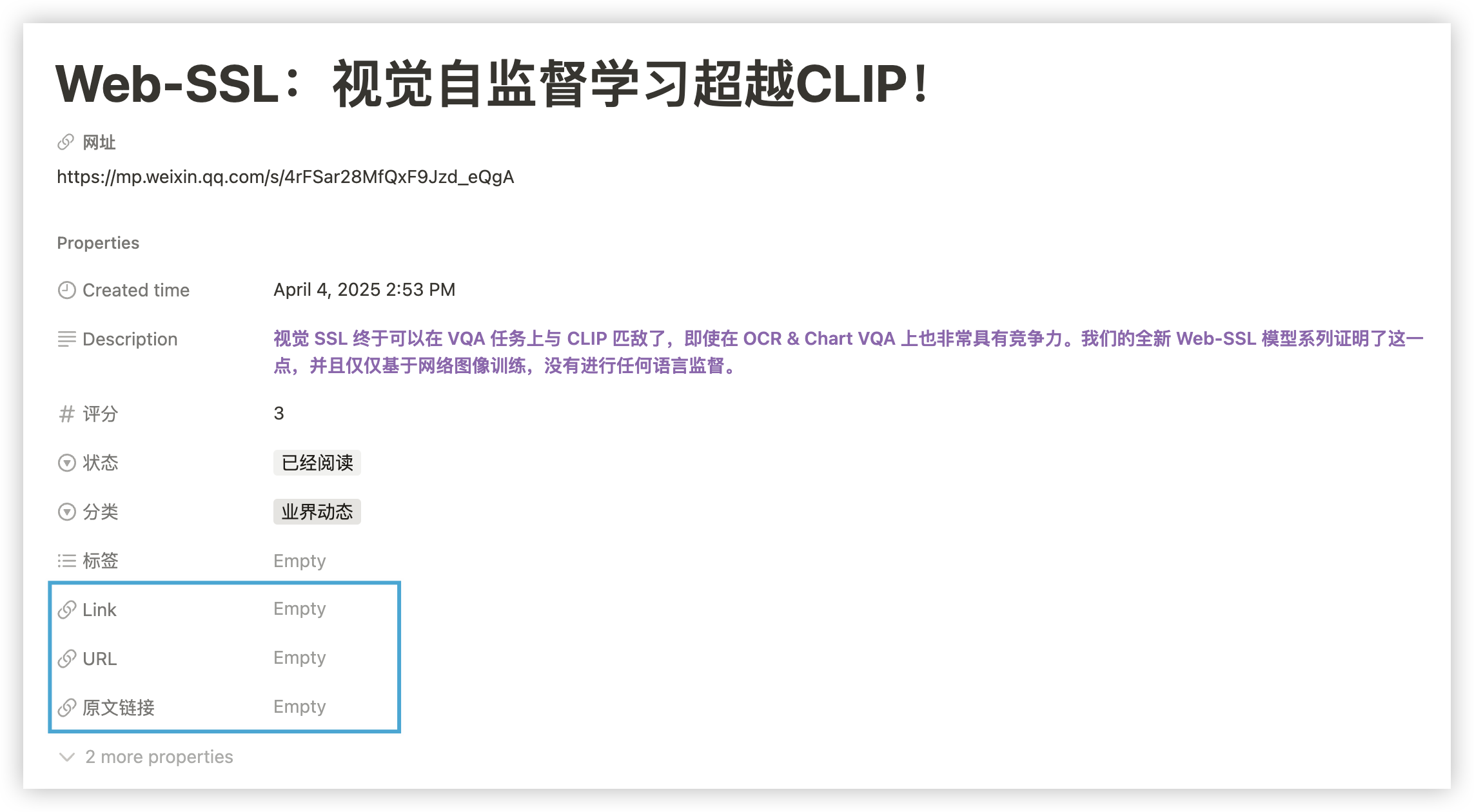
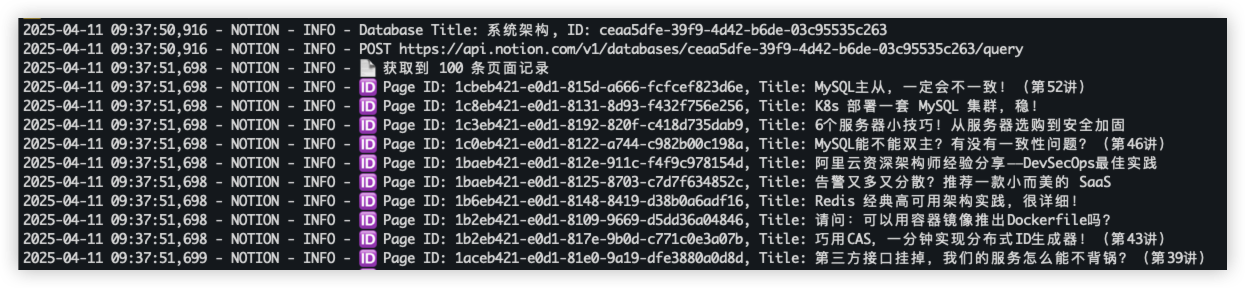
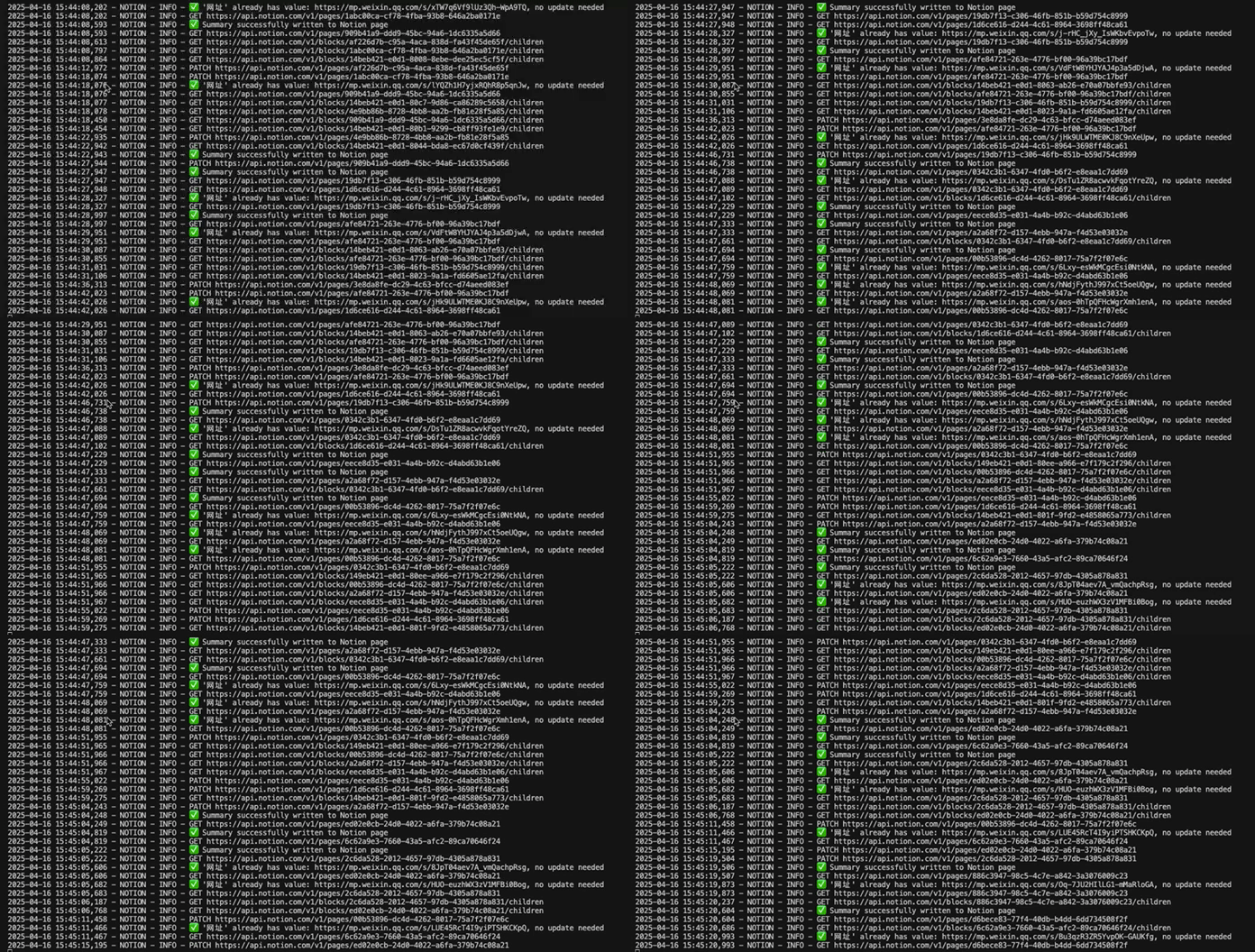
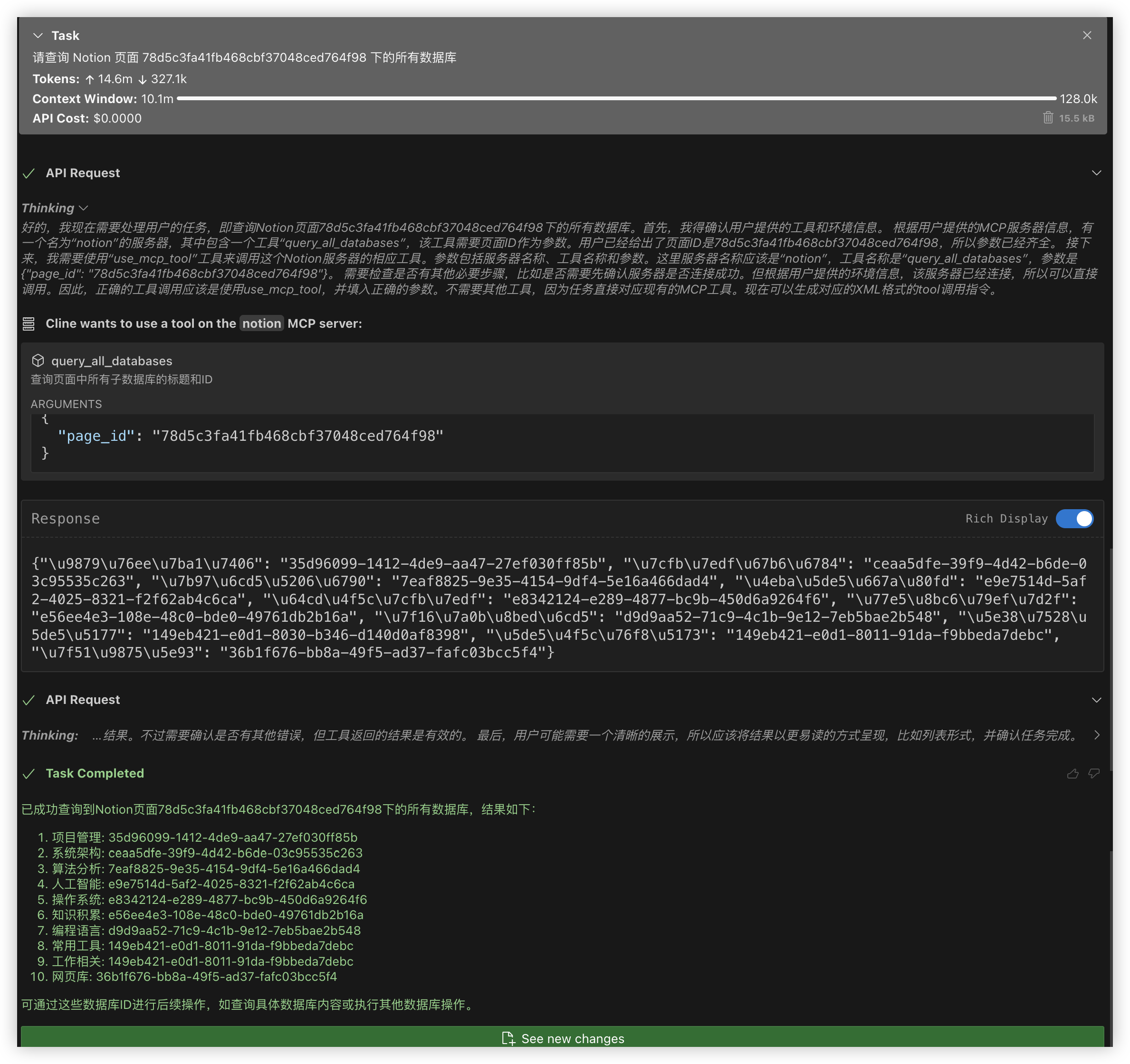
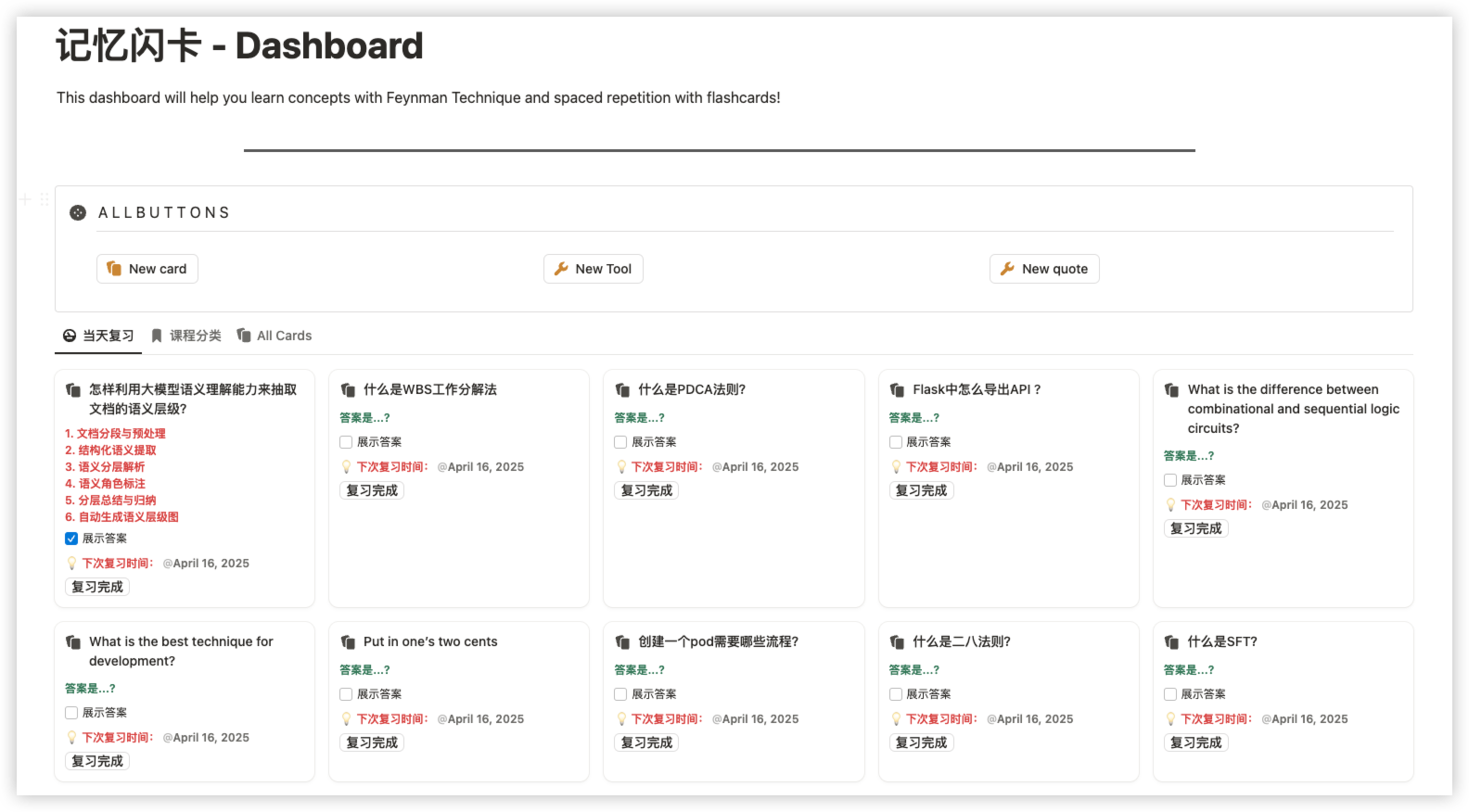
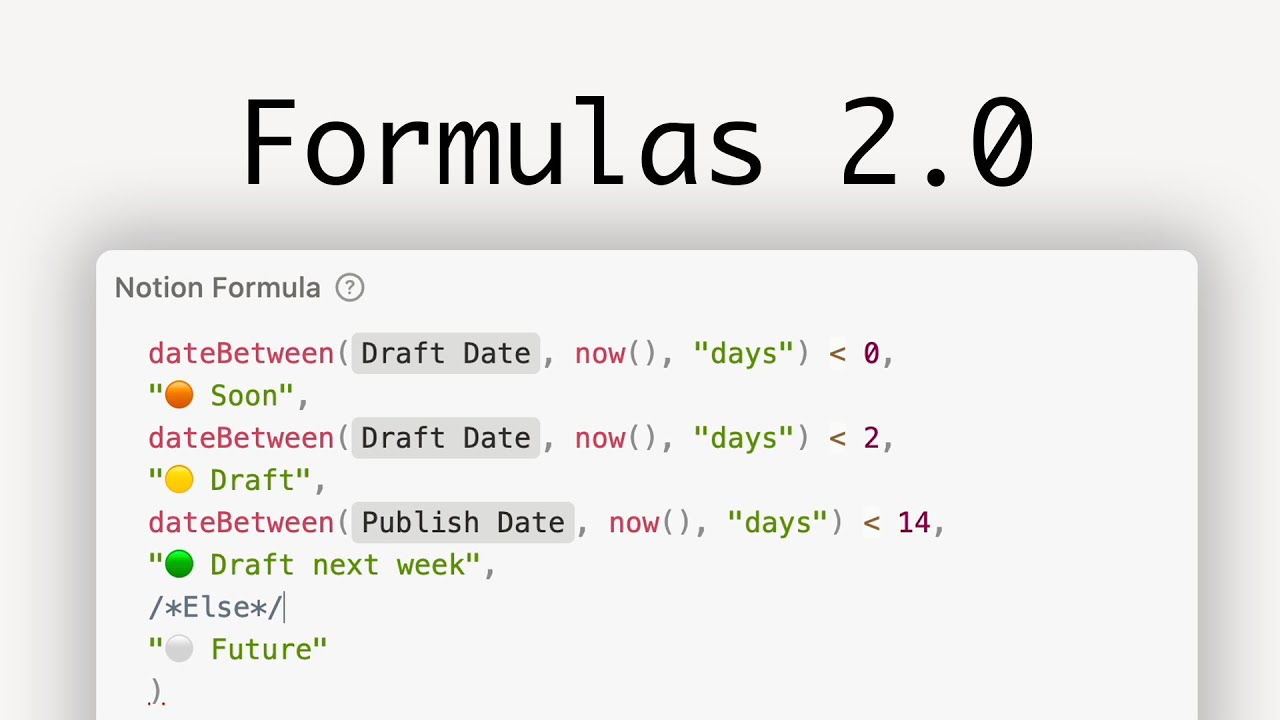
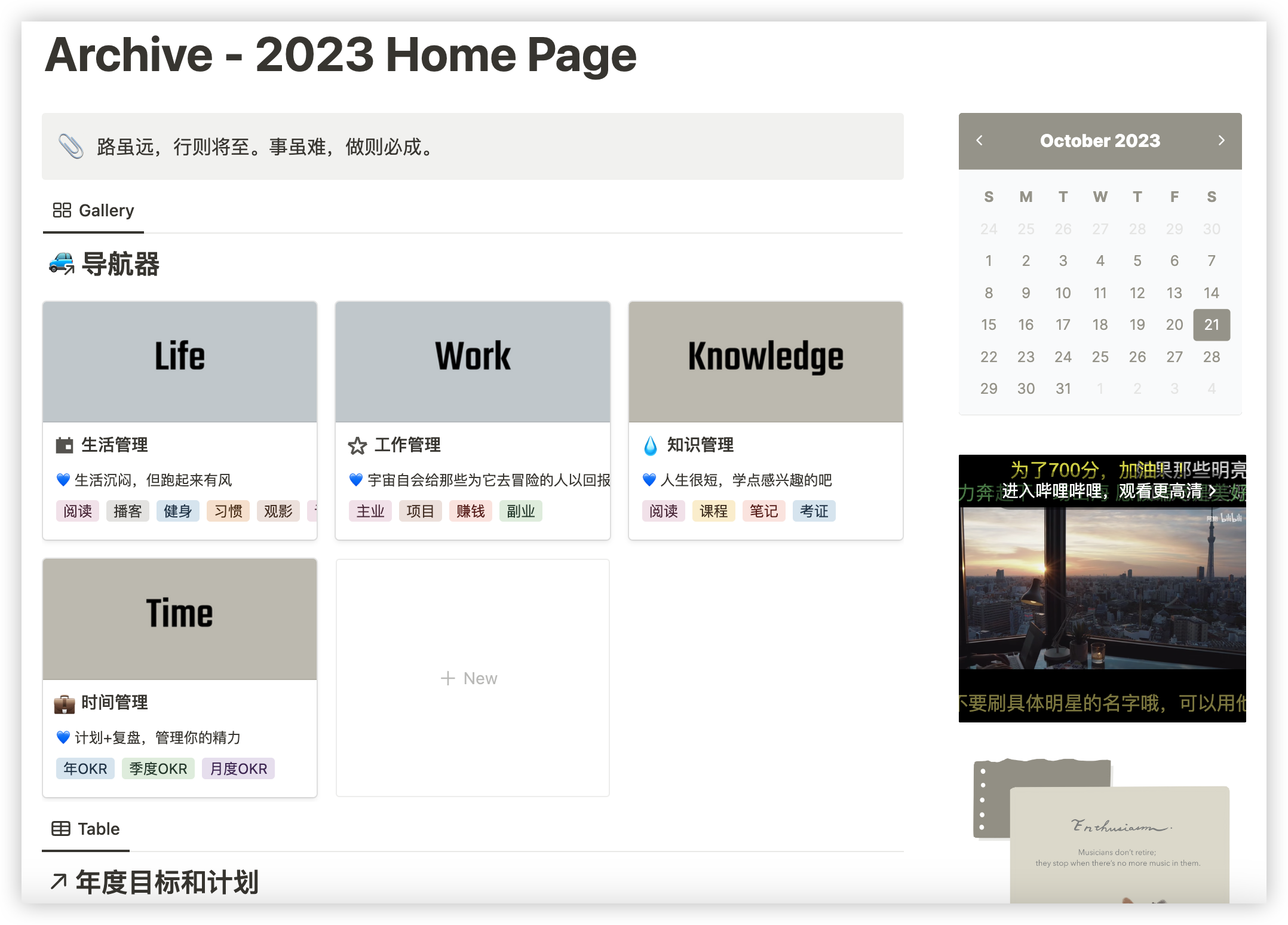
1. 引言 Notion 是一个功能强大的协作工具,可以用来创建笔记、任务列表、数据库等。Notion API 为开发者提供了一种自动化操作 Notion 数据的方式,可以极大地提高工作效率。本文将介绍如何使用 Notion API 来更新和整理收藏的文章。最终生成的效果如下:
2. 项目背景 Notion一直是我做笔记,习惯管理,工作计划的工具,比如笔记,我习惯在不同的网站或者公众号中收藏大量文章。但是因为使用不同的插件和浏览器,随着时间的推移,笔记的管理变得非常困难。为了提高笔记的整理和管理的效率,我们可以通过 Notion API 自动化这一过程,或者自己写个MCP插件。这里以更新文章的URL以及生成Summary为例子,简单介绍下开发的思路。
3. 技术实现细节 3.1. 语言选型 本文使用 Python 作为开发语言,主要因为 notion-sdk-py 是一个功能完善的 Notion API 客户端库,支持异步操作,可以有效提高处理大量数据的效率。
3.2. 数据结构 在 Notion 中,我们通常会使用数据库来存储文章的相关信息。每个数据库可以包含多个页面,每个页面对应一篇文章。页面的属性可以包括标题、URL、标签等。我们的目标是将所有页面中分散的 URL 集中到一个指定的字段中。
3.3. 接口调用
创建 Notion 客户端 :使用 NotionAsyncClient 创建一个异步客户端,并设置日志记录。查询页面中的所有数据库 :通过 blocks.children.list 接口获取页面中的所有块,找到所有子数据库。查询数据库中的所有页面 :通过 databases.query 接口获取数据库中的所有页面。更新页面内容 :通过 pages.update 接口更新页面的指定属性。并发处理页面 :使用 asyncio.Semaphore 限制并发请求数,避免对 Notion 服务器造成过大压力。
3.4. 代码实现 3.4.1. 设置日志 1 2 3 4 5 6 7 8 9 10 11 import logginglogger = logging.getLogger("NOTION" ) logger.setLevel(logging.DEBUG) _formatter = logging.Formatter("%(asctime)s - %(name)s - %(levelname)s - %(message)s" ) _console_handler = logging.StreamHandler() _console_handler.setLevel(logging.INFO) _console_handler.setFormatter(_formatter) logger.addHandler(_console_handler)
3.4.2. Notion 客户端上下文管理器 1 2 3 4 5 6 7 8 9 10 11 12 13 14 15 16 17 from notion_client import AsyncClient as NotionAsyncClientfrom contextlib import asynccontextmanagerARTICLE_COLLATION_TOKEN = "YOUR_NOTION_API_TOKEN" @asynccontextmanager async def get_notion_client (): client = NotionAsyncClient( auth=ARTICLE_COLLATION_TOKEN, logger=logger, log_level=logging.DEBUG, timeout=httpx.Timeout(30.0 ), ) try : yield client finally : await client.aclose()
3.4.3. 异步重试装饰器 1 2 3 4 5 6 7 8 9 10 11 12 13 14 15 16 17 18 19 import asyncioimport randomMAX_RETRIES = 3 RETRY_DELAYS = [1 , 3 , 5 ] CONCURRENCY_LIMIT = 5 async def retry_async (func, *args, **kwargs ): last_exception = None for attempt, delay in enumerate (RETRY_DELAYS[:MAX_RETRIES]): try : return await func(*args, **kwargs) except Exception as e: last_exception = e logger.warning(f"尝试 {attempt+1 } /{MAX_RETRIES} 失败: {e} . 等待 {delay} 秒后重试..." ) jitter = random.uniform(0 , 1 ) await asyncio.sleep(delay + jitter) logger.error(f"达到最大重试次数 {MAX_RETRIES} ,最后错误: {last_exception} " ) raise last_exception
3.4.4. 查询页面中的所有数据库 1 2 3 4 5 6 7 8 9 10 11 12 13 14 15 16 17 18 19 20 21 22 23 24 25 26 27 async def query_page_for_databases (client, page_id: str ) -> Dict [str , str ]: databases_dict = {} @retry_async async def _get_blocks (): return await client.blocks.children.list (page_id) blocks = await _get_blocks() logger.info(f"在页面 {page_id} 中找到 {len (blocks['results' ])} 个块" ) for block in blocks["results" ]: block_type = block["type" ] logger.debug(f"块类型: {block_type} " ) if block_type == "child_database" : database_id = block["id" ] database_title = block["child_database" ]["title" ] databases_dict[database_title] = database_id logger.info(f"找到子数据库, ID: {database_id} , 标题: {database_title} " ) elif block_type == "child_page" : child_page_id = block["id" ] logger.info(f"找到子页面,递归查询: {child_page_id} " ) child_databases = await query_page_for_databases(client, child_page_id) databases_dict.update(child_databases) return databases_dict
3.4.5. 查询数据库中的所有页面 1 2 3 4 5 6 7 8 9 10 11 12 13 14 15 16 17 18 19 20 21 22 23 24 25 26 27 28 29 30 31 32 33 34 35 36 37 38 async def query_database_for_all_pages ( client, database_id: str , page_size: int = 100 List [str ]: pages_list = [] has_more = True start_cursor = None total = 0 while has_more: body = {"page_size" : page_size} if start_cursor: body["start_cursor" ] = start_cursor @retry_async async def _query_database (): return await client.databases.query(database_id=database_id, **body) response = await _query_database() results = response.get("results" , []) logger.info(f"📄 获取到 {len (results)} 条页面记录" ) for page in results: page_id = page["id" ] try : page_title = page["properties" ]["Name" ]["title" ][0 ]["text" ]["content" ] except (KeyError, IndexError): page_title = "(无标题)" logger.info(f"🆔 页面ID: {page_id} , 标题: {page_title} " ) pages_list.append(page_id) total += 1 has_more = response.get("has_more" , False ) start_cursor = response.get("next_cursor" ) logger.info(f"✅ 已完成分页查询,获取页面总数:{total} " ) return pages_list
3.4.6. 更新页面内容 1 2 3 4 5 6 7 8 9 10 async def update_page_content (client, page_id: str , new_content: str ): @retry_async async def _update_page (): await client.pages.update( page_id=page_id, properties={"Name" : {"title" : [{"text" : {"content" : new_content}}]}}, ) await _update_page() logger.info(f"页面 {page_id} 更新成功" )
3.4.7. 将其他URL字段的值填充到指定的URL字段 1 2 3 4 5 6 7 8 9 10 11 12 13 14 15 16 17 18 19 20 21 22 23 24 25 26 27 28 29 30 31 32 33 34 35 36 async def fill_web_url_from_other_urls (client, page_id: str , web_field: str = "网址" ): @retry_async async def _retrieve_page (): return await client.pages.retrieve(page_id=page_id) page = await _retrieve_page() props = page["properties" ] if web_field not in props or props[web_field]["type" ] != "url" : logger.warning(f"❌ 字段『{web_field} 』不存在或不是 URL 类型" ) return if props[web_field].get("url" ): logger.info(f"✅ 『{web_field} 』已有值:{props[web_field]['url' ]} ,无需更新" ) return for field_name, field_info in props.items(): if field_name == web_field: continue if field_info["type" ] == "url" and field_info.get("url" ): logger.info( f"🔄 发现可用 URL 字段『{field_name} 』,值为:{field_info['url' ]} ,准备写入『{web_field} 』" ) @retry_async async def _update_url (): await client.pages.update( page_id=page_id, properties={web_field: {"url" : field_info["url" ]}} ) await _update_url() logger.info(f"✅ 已成功将『{field_name} 』的 URL 复制到『{web_field} 』" ) return logger.warning(f"⚠️ 页面 {page_id} 未找到任何有值的 URL 字段,未进行更新" )
3.4.8. 处理单个页面的逻辑 1 2 3 4 5 6 7 async def process_page (client, page_id: str ): try : await fill_web_url_from_other_urls(client, page_id) return True except Exception as e: logger.error(f"处理页面 {page_id} 失败: {e} " ) return False
3.4.9. 使用信号量限制并发请求数 1 2 3 4 5 6 7 8 9 10 11 12 13 14 15 16 import asyncioasync def process_pages_with_semaphore (client, pages_list: List [str ] ): semaphore = asyncio.Semaphore(CONCURRENCY_LIMIT) async def _process_with_limit (page_id ): async with semaphore: return await process_page(client, page_id) tasks = [_process_with_limit(page_id) for page_id in pages_list] results = await asyncio.gather(*tasks, return_exceptions=True ) success = sum (1 for r in results if r is True ) logger.info( f"已处理 {len (pages_list)} 个页面, 成功: {success} , 失败: {len (pages_list) - success} " )
3.4.10. 生成摘要 1 2 3 4 5 6 7 8 9 10 11 12 13 14 15 16 17 18 19 20 21 22 23 24 25 26 27 28 async def generate_summary_with_litellm (text_content: str ) -> Optional [str ]: """使用LLM生成文本摘要""" if not text_content.strip(): logger.warning("没有提供文本内容,无法生成摘要" ) return None prompt = ( "请根据以下内容生成一段不超过80字的中文摘要, 语言精炼客观: \n\n" f"{text_content.strip()} \n\n摘要: " ) try : response = litellm.completion( model="lm_studio/vllm" , api_key=LLAMA_API_KEY, api_base=LLAMA_API_BASE, messages=[ {"role" : "system" , "content" : "你是一个善于总结的小助手." }, {"role" : "user" , "content" : prompt}, ], max_tokens=100 , temperature=0.3 , ) summary = response["choices" ][0 ]["message" ].content.strip() return summary except Exception as e: logger.error(f"摘要生成失败: {e} " ) return None
3.4.11. 更新摘要 1 2 3 4 5 6 7 8 9 10 11 12 13 14 15 16 17 18 19 20 21 22 23 24 25 26 27 28 29 30 31 32 33 34 35 36 37 38 39 40 41 42 43 44 45 46 47 48 49 50 51 52 53 54 55 async def update_page_summary (page_id: str ) -> bool : """更新Notion页面的摘要字段""" try : page = await notion.pages.retrieve(page_id=page_id) current_description = ( page["properties" ].get("Description" , {}).get("rich_text" , []) ) if current_description and any ( rt.get("plain_text" ) for rt in current_description ): logger.warning("⚠️ 已存在摘要,跳过更新" ) return False text_content = await extract_plain_text_str_from_page(page_id) if not text_content: logger.warning("未能提取到页面内容,跳过更新" ) return False summary = await generate_summary_with_litellm(text_content) if not summary: logger.warning("未生成有效摘要,跳过更新" ) return False await notion.pages.update( page_id=page_id, properties={ "Description" : { "rich_text" : [ { "type" : "text" , "text" : { "content" : summary, }, "annotations" : { "bold" : True , "italic" : False , "strikethrough" : False , "underline" : False , "code" : False , "color" : "blue" , }, } ] } }, ) logger.info("✅ 摘要已成功写入 Notion 页面" ) return True except Exception as e: logger.error(f"❌ 更新 Notion 页面失败: {e} " ) return False
3.4.12. 主函数 1 2 3 4 5 6 7 8 9 10 11 12 13 14 15 16 17 18 19 20 21 22 23 24 25 26 27 28 29 30 31 32 33 34 35 36 37 38 39 40 41 42 43 44 45 46 47 48 49 50 async def main (): """Main function""" start_time = time.time() stats = { "databases_processed" : 0 , "total_pages" : 0 , "urls_updated" : 0 , "summaries_updated" : 0 , } update_summaries = True root_page_id = ROOT_PAGE_ID try : async with get_notion_client() as notion: databases_dict = await query_page_for_databases(notion, root_page_id) stats["databases_found" ] = len (databases_dict) for database_title, database_id in databases_dict.items(): logger.info(f"Processing database: {database_title} , ID: {database_id} " ) pages_list = await query_database_for_all_pages(notion, database_id) stats["total_pages" ] += len (pages_list) if not pages_list: logger.warning(f"No pages found in database {database_title} " ) continue result_stats = await process_pages_with_semaphore( notion, pages_list, update_summaries ) stats["urls_updated" ] += result_stats["url_updated" ] stats["summaries_updated" ] += result_stats["summary_updated" ] stats["databases_processed" ] += 1 except Exception as e: logger.error(f"Error during execution: {e} " ) elapsed = time.time() - start_time logger.info( f"Task completed in {elapsed:.2 f} seconds. " f"Databases processed: {stats['databases_processed' ]} /{stats['databases_found' ]} , " f"Total pages: {stats['total_pages' ]} , " f"URLs updated: {stats['urls_updated' ]} , " f"Summaries updated: {stats['summaries_updated' ]} " )
执行结果如下:
4. MCP的实现 接口调用成功后,MCP实现也非常简单。我们可以直接使用mcp库中的FastMCP,调用from mcp.server import FastMCP即可。举个简单的例子:
1 2 3 4 5 6 7 8 9 10 11 12 13 14 15 16 17 18 19 20 21 @app.tool() async def query_all_databases (page_id: str ) -> Dict [str , str ]: """查询页面中所有子数据库的标题和ID""" async def _get_blocks (client, pid ): return await client.blocks.children.list (pid) async def _recursive (client, pid, result ): blocks = await retry_async(_get_blocks, client, pid) for block in blocks["results" ]: if block["type" ] == "child_database" : db_id = block["id" ] title = block["child_database" ]["title" ] result[title] = db_id elif block["type" ] == "child_page" : await _recursive(client, block["id" ], result) async with get_notion_client() as client: result: Dict [str , str ] = {} await _recursive(client, page_id, result) return result
可以使用Cline启动MCP server:
1 2 3 4 5 6 7 8 9 10 11 12 { "mcpServers" : { "notion" : { "timeout" : 60 , "command" : "/bin/bash" , "args" : [ "-c" , "source /Users/phoenine/miniforge3/bin/activate mcp && python /Users/phoenine//notion-mcp/mcp_server.py" ] } } }
看看执行的效果,非常不错:
5. 总结 使用自动化工具可以大大提高我们的工作效率,减少重复劳动。未来还可以进一步扩展这个工具,例如:
希望本文能对你有所帮助,如果你有任何问题或建议,欢迎在评论区留言交流。